 Picked
Saw a riff?
Practice it.
Stop digging through saved videos, screenshots and PDFs. Every riff you bring in becomes a tab in your library, ready to loop, slow down, speed up, edit and play along with.

Free to start · iPhone
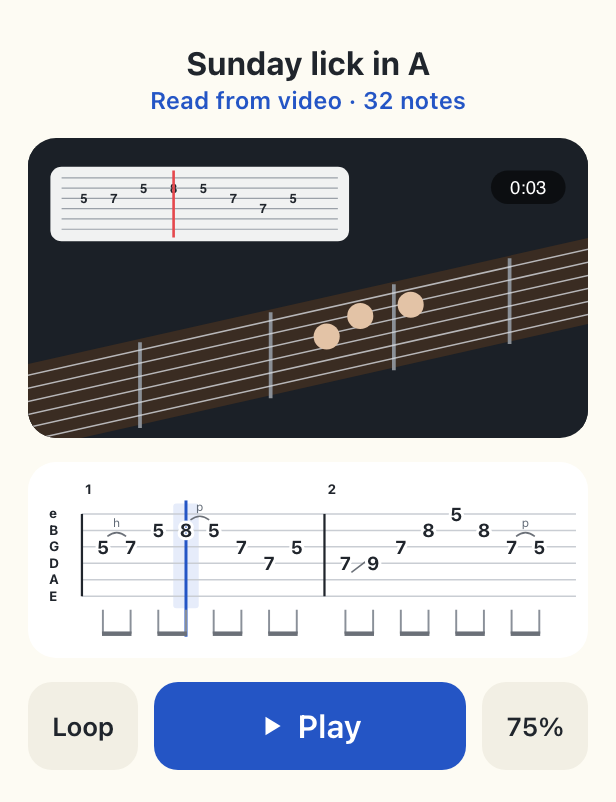
Your saved riffs, ready to play
Videos, screenshots and PDFs pile up in different places, and finding the bar you wanted means scrubbing, zooming and scrolling. In Picked, every riff is a tab in one library, with its video when there is one.
To bring a riff in, screen-record the clip while it plays on Instagram, TikTok or YouTube, then choose the recording in Picked.
What you can bring in
Video with tab on screen
Notes, rhythm and playing marks, lined up with the video. This gives the most accurate tab.
Screenshots
One picture or several. Picked joins them into one tab.
PDFs
Tab printed from tab programs. Choose the pages you want.
Just the sound
When no tab is shown, Picked works it out from the sound. Best on guitar alone; you may need to fix a few notes.
For creators who post riffs with tabs
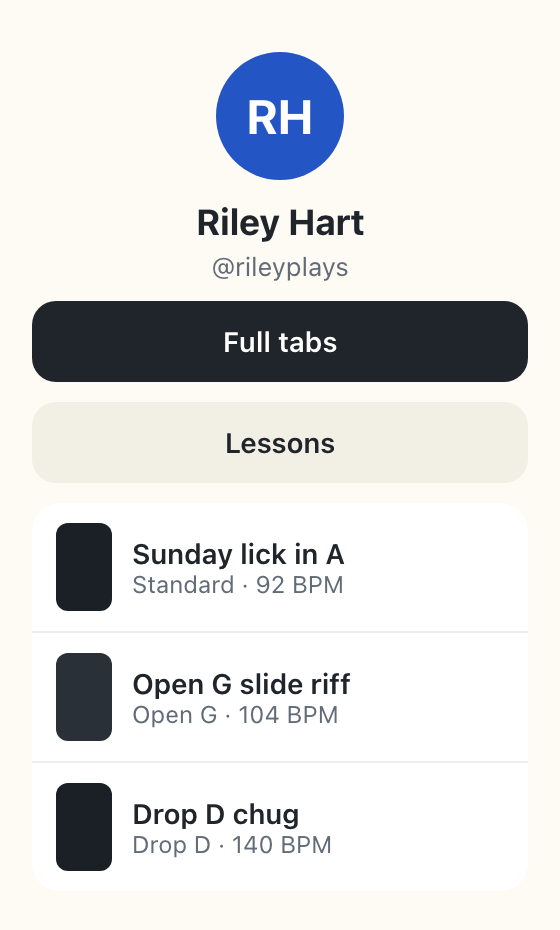
Publish a riff from Picked and get a page with your video and tab in sync, plus your links. Send it when someone comments TAB, or put your page in your bio.
Add links to anything: your Instagram, lessons, gigs, a store. Share the whole riff, or if you sell tabs, the first few bars with a link to the rest. Your page shows views, plays and taps on your links.
Questions
Does it work with Instagram, TikTok and YouTube?
Yes. Record your screen while the clip plays, then choose the recording in Picked.
What happens to my video?
It's read on our server to build your tab, then deleted. Screenshots too. PDFs are read on your phone.
What if the video doesn't show the tab?
Picked can work the tab out from the sound when the guitar plays alone. Play it back, and fix any note with a tap.